Overview of the RoundLevels Indicator
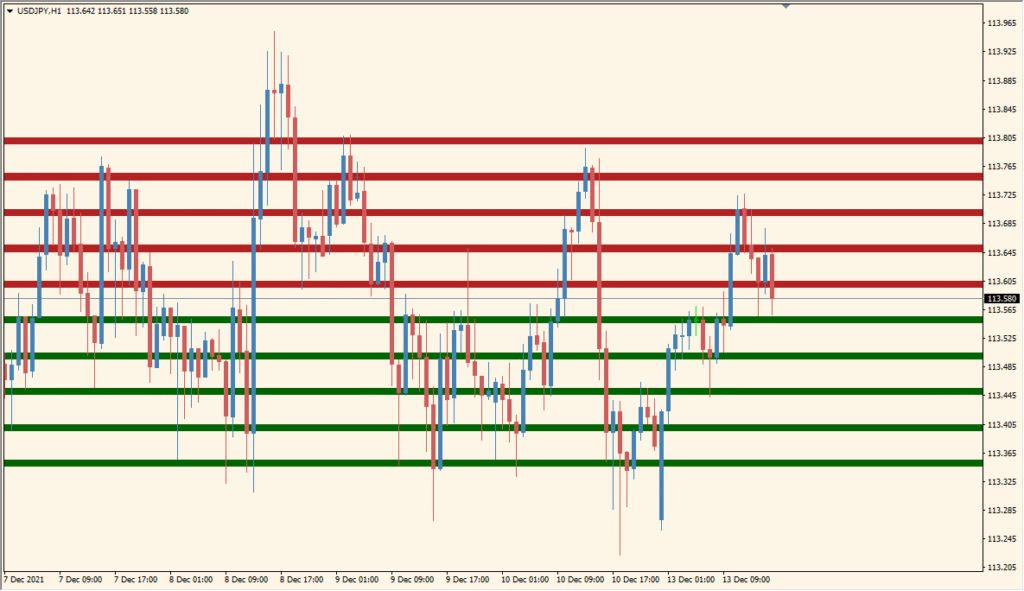
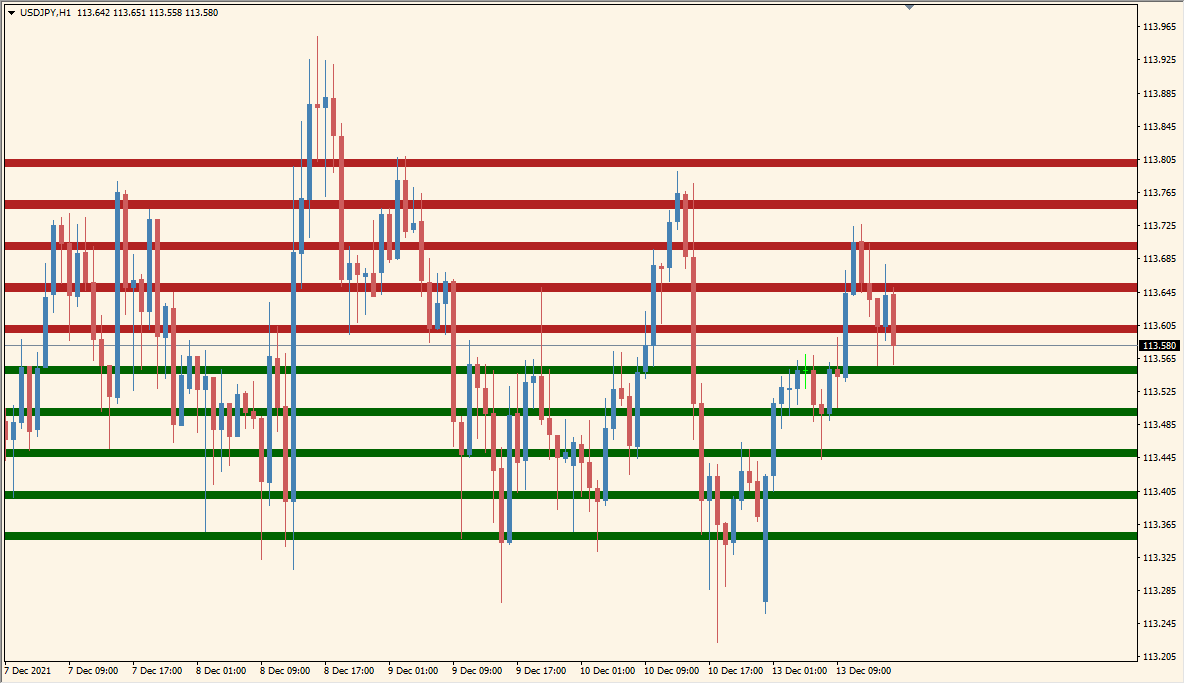
The RoundLevels indicator draws evenly spaced horizontal zones on the chart, helping traders identify and visualize key psychological or round-number levels. These zones often act as potential areas of support or resistance, where price tends to react. The indicator provides clear visual separation between bullish and bearish levels using customizable colors and spacing.
It can display shaded zones or dashed lines, allowing users to adapt the appearance to their preferred trading style. This tool is useful for traders who rely on price action, support/resistance concepts, or round number confluence in their analysis.
How to Use It in Practice
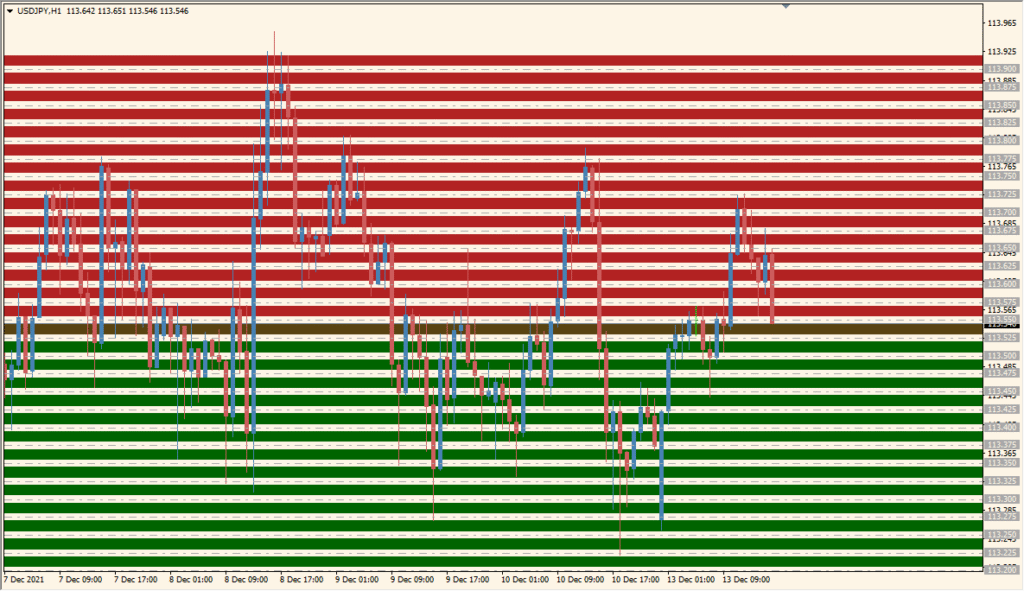
In live trading, the RoundLevels indicator can be used to:
- Identify price zones where reactions, consolidations, or reversals are likely to occur.
- Align entries and exits with major round numbers or institutional price levels.
- Combine with oscillators or volume tools for confirmation at strong psychological points.
- Visually divide the market into structured areas to improve decision-making.
Because the levels are equally spaced, they help traders maintain chart consistency and quickly detect when price approaches significant thresholds.
Parameter Explanations
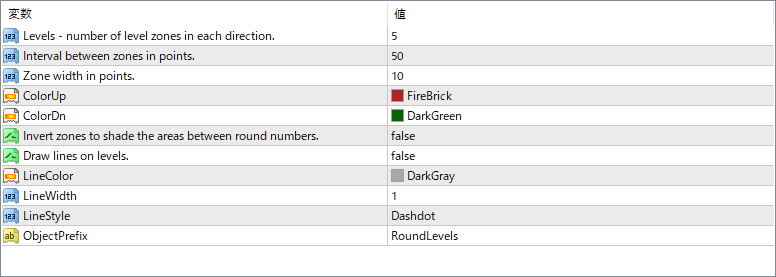
Levels
Sets the number of level zones to display above and below the current price. Increasing this value shows more levels across the chart.
Interval between zones in points
Defines the spacing between each zone in points. Larger intervals spread the zones farther apart.
Zone width in points
Determines the thickness of each colored zone. Narrow widths show cleaner lines, while wider zones highlight broader price areas.
ColorUp
Sets the color for the upper (resistance) zones.
ColorDn
Sets the color for the lower (support) zones.
Invert zones to shade the areas between
When enabled, shades the space between levels instead of the levels themselves.
Draw lines on levels
Switches between solid zones and line-only display. When true, lines are drawn at the level boundaries.
LineColor
Specifies the color of the drawn level lines if line mode is active.
LineWidth
Adjusts the thickness of the drawn lines for better visibility.
LineStyle
Chooses the style of the lines (solid, dashed, or dash-dot).
ObjectPrefix
Sets a name prefix for all objects created by the indicator, helping to manage or delete them easily.