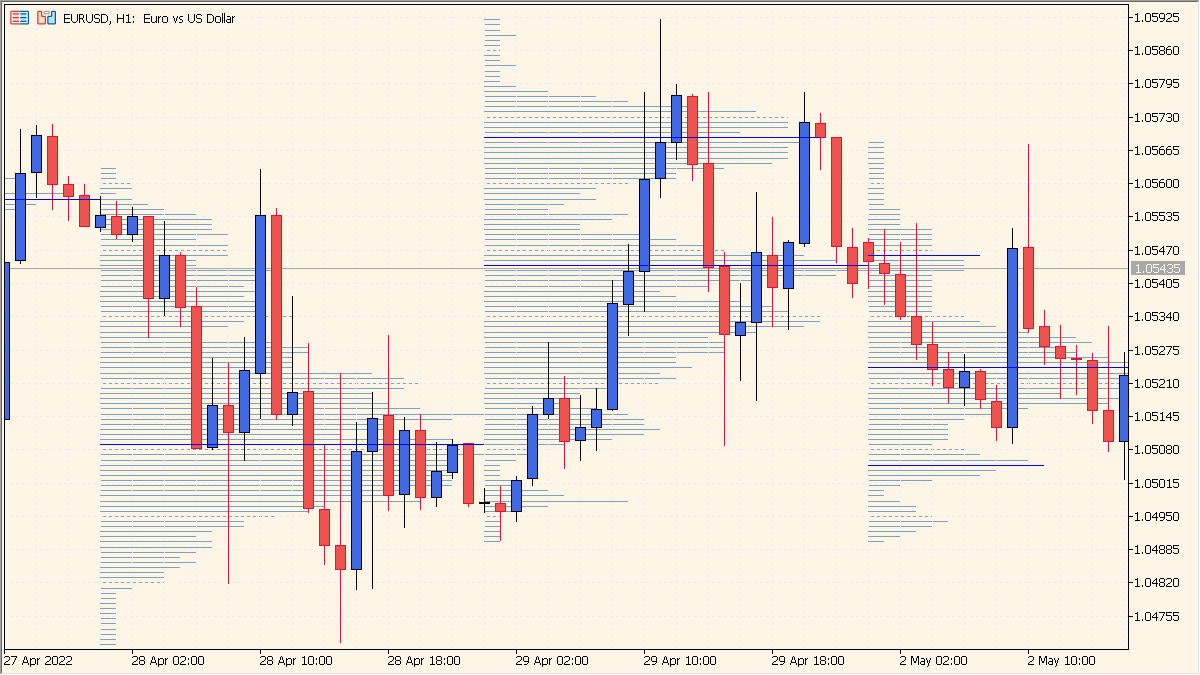
Overview of the Indicator
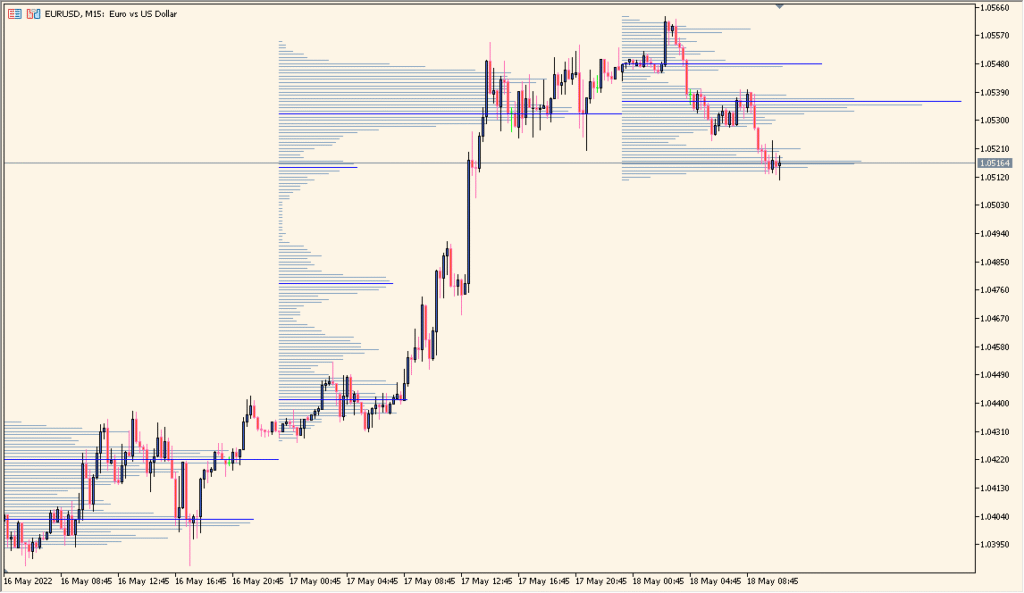
VP-v6 is a volume profile indicator that visualizes traded volume at different price levels over a selected range. It helps identify high-activity zones where the market has spent significant time and low-activity areas that price moved through quickly.
By plotting volume distribution directly on the chart, the indicator highlights key reference levels such as the point of control and potential value areas. This makes it useful for understanding market structure and intraday positioning.
How to Use It in Practice
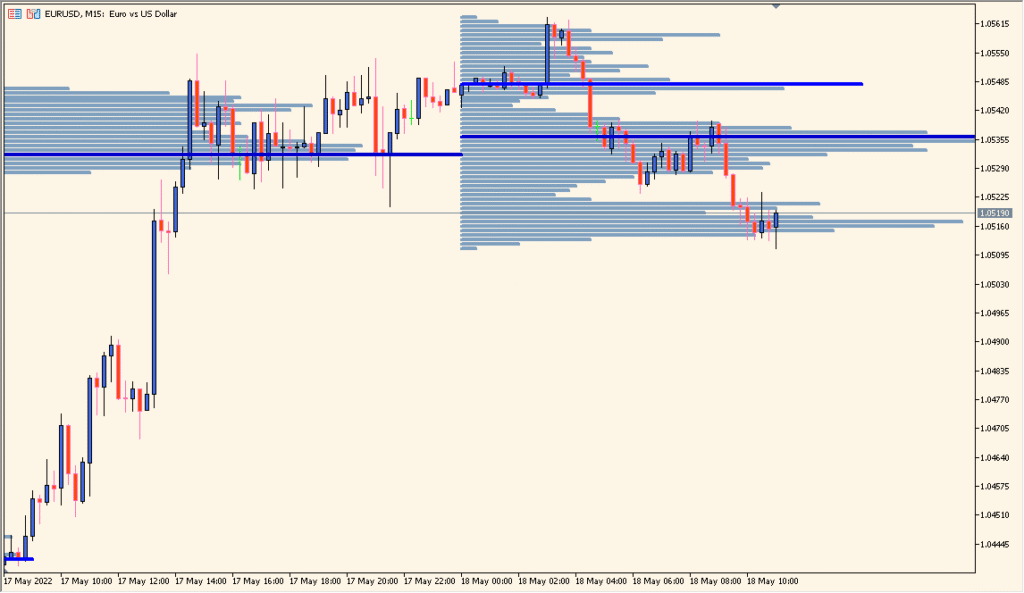
Traders often use the volume profile to identify support and resistance based on volume concentration. High-volume nodes can act as magnets for price, while low-volume zones may lead to faster moves.
The point of control can be used as a reference for fair value. When price is above it, buyers may have short-term control. When below it, sellers may dominate. Combining this with price action improves entry and exit timing.
Parameters
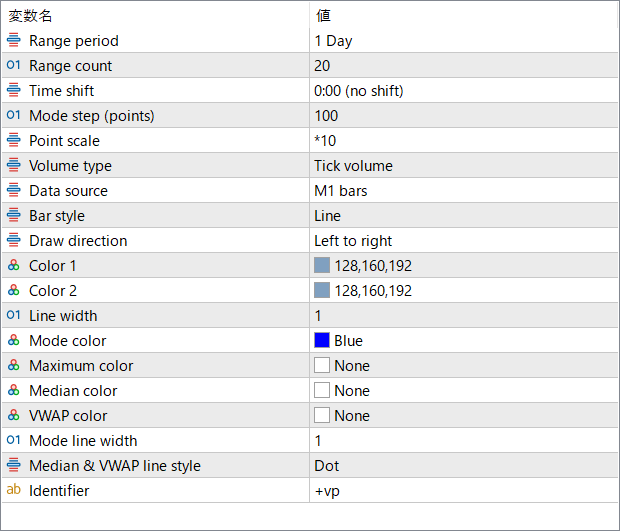
Range period
Defines the time range used to build the volume profile, such as a daily session.
Range count
Specifies how many past periods are included in the calculation.
Time shift
Shifts the starting time of the profile calculation to align with a specific trading session.
Mode step (points)
Sets the price step size used to group volume data. Smaller steps provide more detail, larger steps create a smoother profile.
Point scale
Adjusts the scaling factor applied to the point value for calculation purposes.
Volume type
Chooses the type of volume data used, such as tick volume.
Data source
Selects the timeframe or bar source used to construct the profile.
Bar style
Defines how the volume profile bars are visually displayed.
Draw direction
Determines whether the profile is drawn from left to right or in the opposite direction.
Color 1
Sets the primary color used for the profile display.
Color 2
Sets the secondary color used for the profile display.
Line width
Controls the thickness of the profile lines.
Mode color
Defines the color of the point of control line.
Maximum color
Sets the color for the maximum volume level, if enabled.
Median color
Defines the color of the median price line within the selected range.
VWAP color
Specifies the color of the VWAP line when displayed.
Mode line width
Controls the thickness of the point of control line.
Median & VWAP line style
Sets the line style used for the median and VWAP lines.
Identifier
Defines a custom label used to distinguish this instance of the indicator from others on the chart.