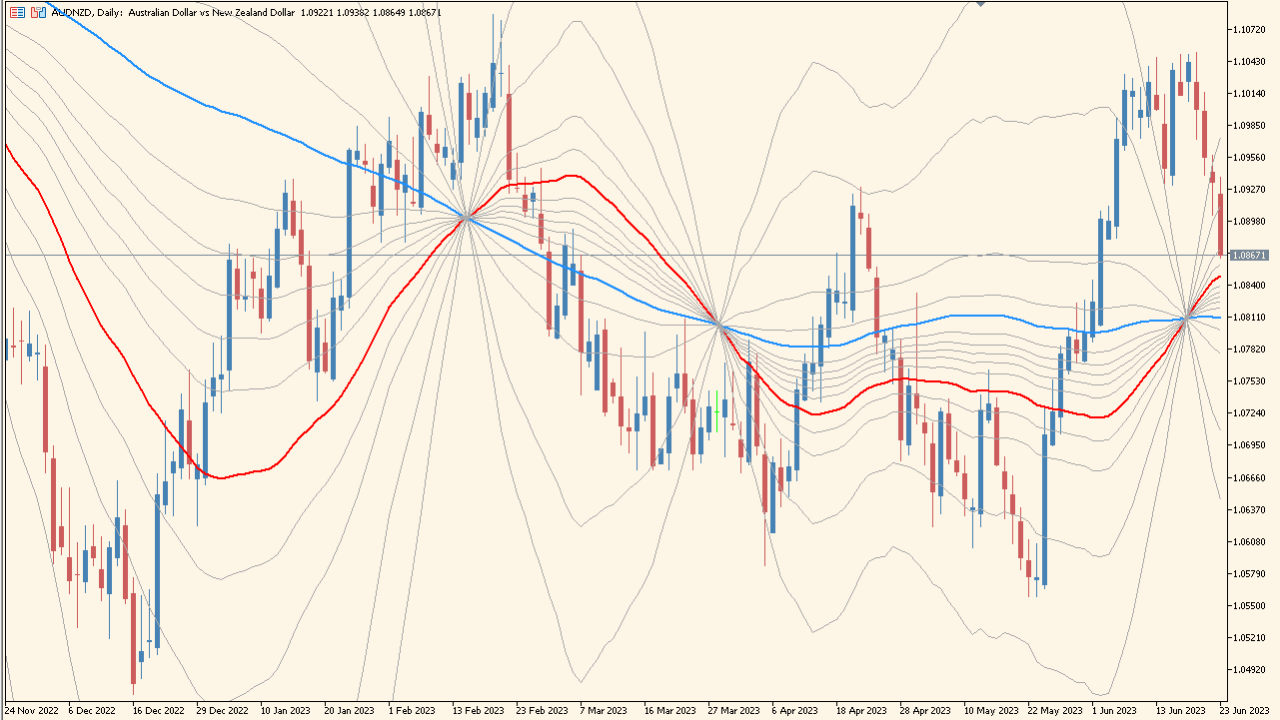
Overview of the MicroPivots Indicator

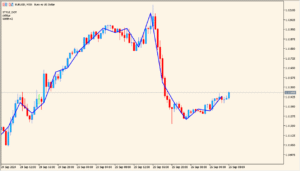
The MicroPivots indicator plots a series of dynamic levels around price using two moving averages as the central reference. From these reference points, it projects multiple Fibonacci-based levels above and below the current market, creating a fan-like structure. This makes it easy to visualize short-term reaction zones, micro-pivots, and potential intraday support and resistance.
By combining moving averages with custom Fibonacci extensions and retracements, the indicator provides a flexible framework for identifying price compression, expansion, and reaction levels during active market conditions.
How to Use It in Practice
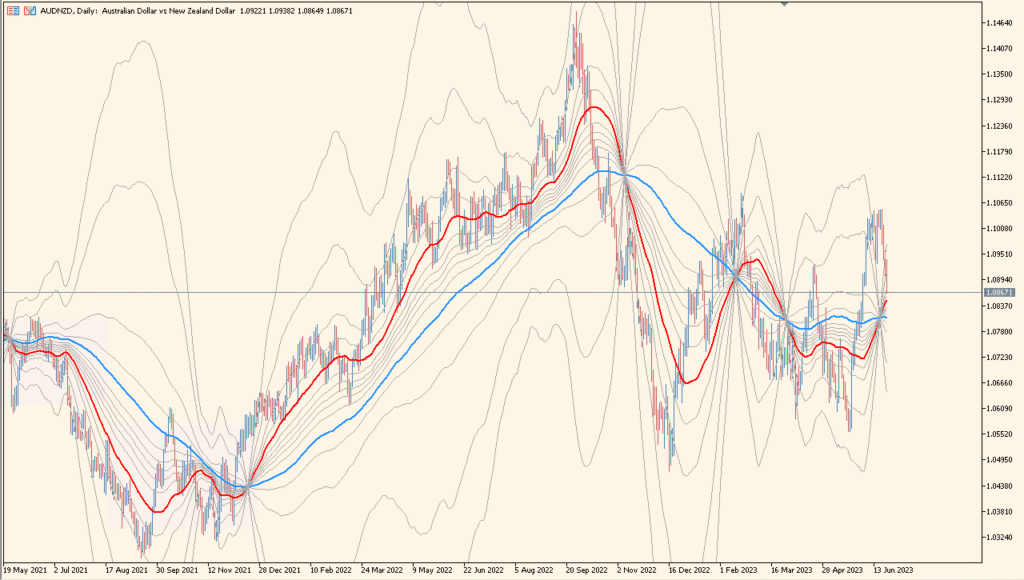
In real trading, MicroPivots can be used to:
- Identify micro support and resistance formed around the moving average structure.
- Spot potential reaction points where price may stall, reverse, or accelerate.
- Observe how price behaves around Fibonacci-projected areas during trends.
- Assist in placing stops or targets using projected levels rather than fixed distances.
Scalpers and intraday traders may find it especially helpful when navigating fast-moving markets, as the dynamic levels adjust with the evolving market structure.
Parameter Explanations
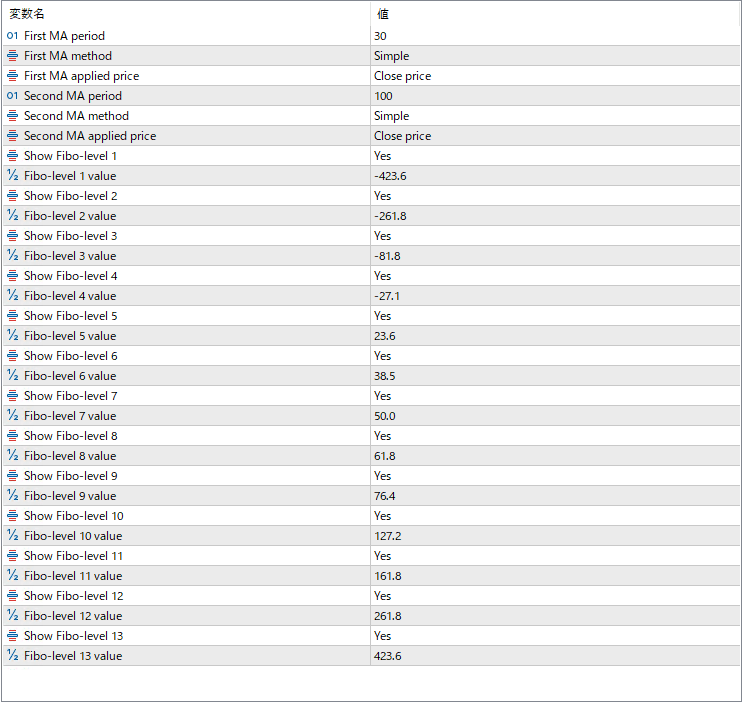
First MA period
Sets the period for the first moving average used as a central reference.
First MA method
Specifies the calculation method of the first moving average, such as Simple or Exponential.
First MA applied price
Determines which price value the first moving average is calculated from (e.g., close price).
Second MA period
Sets the period for the second moving average, which provides an additional smoothing reference.
Second MA method
Specifies the calculation method for the second moving average.
Second MA applied price
Determines the price source used for the second moving average.
Show Fibo-level 1
Enables or disables the display of the first Fibonacci projection level.
Fibo-level 1 value
Sets the Fibonacci ratio used for the first projection level.
Show Fibo-level 2
Controls visibility of the second Fibonacci projection level.
Fibo-level 2 value
Defines the ratio for the second Fibonacci level.
Show Fibo-level 3
Turns the third Fibonacci projection level on or off.
Fibo-level 3 value
Sets the ratio for the third Fibonacci level.
Show Fibo-level 4
Enables the fourth Fibonacci projection level.
Fibo-level 4 value
Specifies the ratio used for the fourth level.
Show Fibo-level 5
Controls visibility of the fifth Fibonacci level.
Fibo-level 5 value
Defines the ratio for the fifth level.
Show Fibo-level 6
Enables or disables the sixth Fibonacci projection.
Fibo-level 6 value
Sets the ratio for the sixth projection.
Show Fibo-level 7
Turns visibility of the seventh Fibonacci level on or off.
Fibo-level 7 value
Specifies the ratio for the seventh level.
Show Fibo-level 8
Controls the eighth Fibonacci projection level.
Fibo-level 8 value
Defines the ratio used for level eight.
Show Fibo-level 9
Enables the ninth Fibonacci projection level.
Fibo-level 9 value
Sets the ratio for level nine.
Show Fibo-level 10
Turns the tenth Fibonacci level on or off.
Fibo-level 10 value
Defines the ratio used for the tenth level.