Indicator Overview

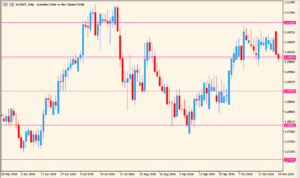
shved_supply_and_demand is an indicator that automatically detects and draws supply and demand zones directly on the chart. These zones represent areas where price previously reacted strongly, making them useful references for potential reversals, breakouts, or reactions.
The indicator classifies zones by their status, such as untested, verified, weak, or broken, and displays them with different colors. This helps traders quickly judge how reliable each zone is without manually marking levels.
How to Use It in Practice

In real trading scenarios, this indicator is commonly used to:
- Identify potential support and resistance areas based on real price reactions.
- Look for reversal setups when price returns to a verified supply or demand zone.
- Avoid entering trades directly into strong opposing zones.
- Assess market structure by observing how zones are respected, broken, or retested.
The indicator works best when combined with price action or trend context, rather than being used as a standalone entry signal.
Parameter Explanations

Back Limit
Defines how many past bars are scanned to detect supply and demand zones. A larger value allows the indicator to find older zones but may increase chart clutter.
History Mode (with double click)
Enables a historical display mode where previously detected zones are shown for analysis instead of focusing only on current zones.
Show Weak Zones
Controls whether zones with lower reliability are displayed on the chart.
Show Untested Zones
Determines if zones that have not yet been revisited by price are shown.
Show Broken Zones
Specifies whether zones that have been clearly broken by price remain visible.
Zone ATR Factor
Adjusts the vertical size of zones based on market volatility using ATR. Higher values create thicker zones.
Fractal Fast Factor
Sets the sensitivity of fast fractal detection used to identify potential turning points.
Fractal Slow Factor
Defines the slower fractal confirmation factor, helping to filter out minor price noise.
Set terminal global variables
Allows the indicator to store zone data as global variables for use by other tools or templates.
Fill zone with color
Enables or disables background coloring inside each zone.
Zone border width
Controls the thickness of the zone outline.
Zone border style
Sets the visual style of the zone border, such as solid or dashed.
Show info labels
Displays text labels describing each zone’s type and status.
Info label shift
Adjusts the horizontal offset of the information labels for better readability.
Zone Merge
When enabled, overlapping or very close zones are merged into a single zone.
Zone Extend
Extends zones forward in time so they remain visible as future reference levels.
Trigger alert when entering a zone
Sends an alert when price enters a supply or demand zone.
Show alert window
Displays a popup window when an alert is triggered.
Play alert sound
Plays a sound notification when a zone alert occurs.
Delay between alerts (seconds)
Sets the minimum time interval between consecutive alerts.
Text Size
Controls the font size of zone labels and informational text.