Indicator Overview

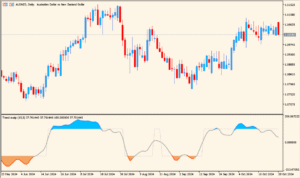
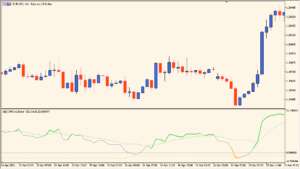
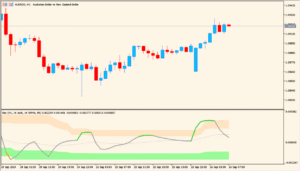
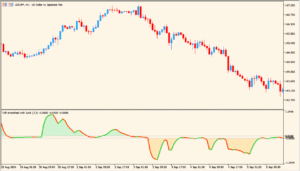
The Spearman Rank Correlation Histogram indicator measures how consistently price moves in one direction over a defined range. Instead of focusing on momentum or volatility, it evaluates the strength and quality of a trend using Spearman’s rank correlation method.
The result is displayed as a histogram oscillating between -1 and +1. Positive values indicate orderly upward movement, while negative values show orderly downward movement. Values near zero suggest sideways or unstable price behavior.
How to Use It in Practice

In practical trading, this indicator is useful for:
- Confirming whether a trend is structurally strong or weak.
- Filtering trades by avoiding low-correlation, choppy market conditions.
- Identifying early trend decay when histogram values move back toward zero.
- Using threshold levels to trigger alerts when trend quality improves or deteriorates.
It works well as a confirmation tool alongside trend-following or breakout strategies rather than as a standalone entry signal.
Parameter Explanations

rangeN
Defines the number of bars used to calculate the Spearman rank correlation. A larger value evaluates longer-term trend stability, while a smaller value reacts faster to recent price changes.
CalculatedBars
Limits how many historical bars are processed. Setting this can reduce load when applied to long histories.
Maxrange
Sets the maximum lookback range allowed for calculations, acting as a cap to control performance and smoothing.
direction
Enables directional interpretation of the correlation. When active, positive and negative values clearly distinguish bullish and bearish trend structures.
price constant
Specifies which price type is used for calculation, such as closing price. This determines the data series evaluated by the correlation.
inHighLevel
Upper threshold level used for visual reference or alerts. Values above this level indicate strong, orderly trends.
inLowLevel
Lower threshold level used to identify strong negative correlation, typically associated with stable downtrends.
Signal bar number
Defines which bar is used to generate alerts, allowing control over whether signals are triggered on the current or a closed bar.
Alert enable
Turns on or off alert notifications when correlation conditions meet the defined criteria.
Alert count
Sets how many alert notifications can be triggered per signal condition.
Email alert enable
Allows alerts to be sent via email when correlation thresholds are reached.
Mobile alert enable
Enables push notifications to a mobile device for correlation-based alerts.