Indicator Overview
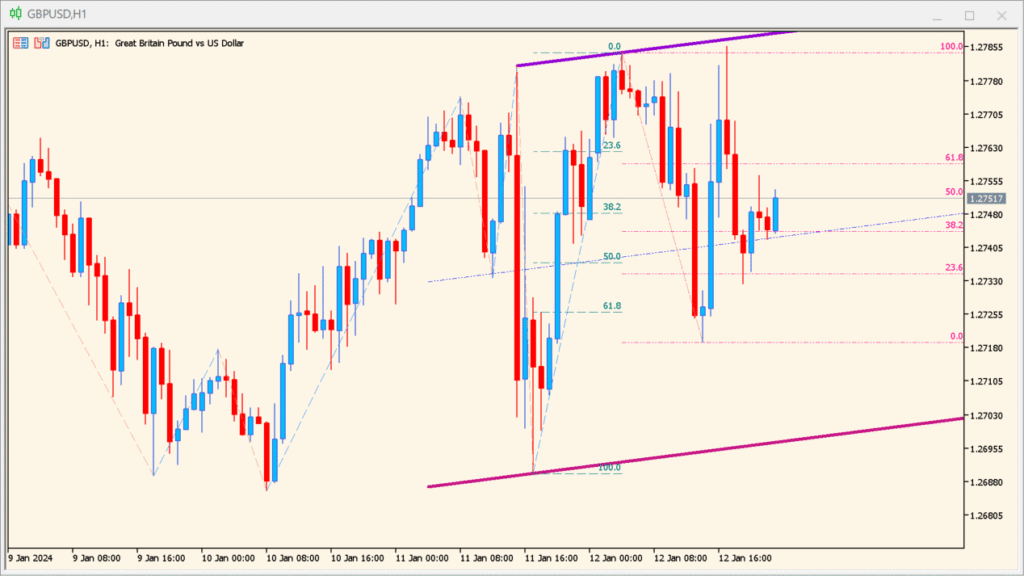
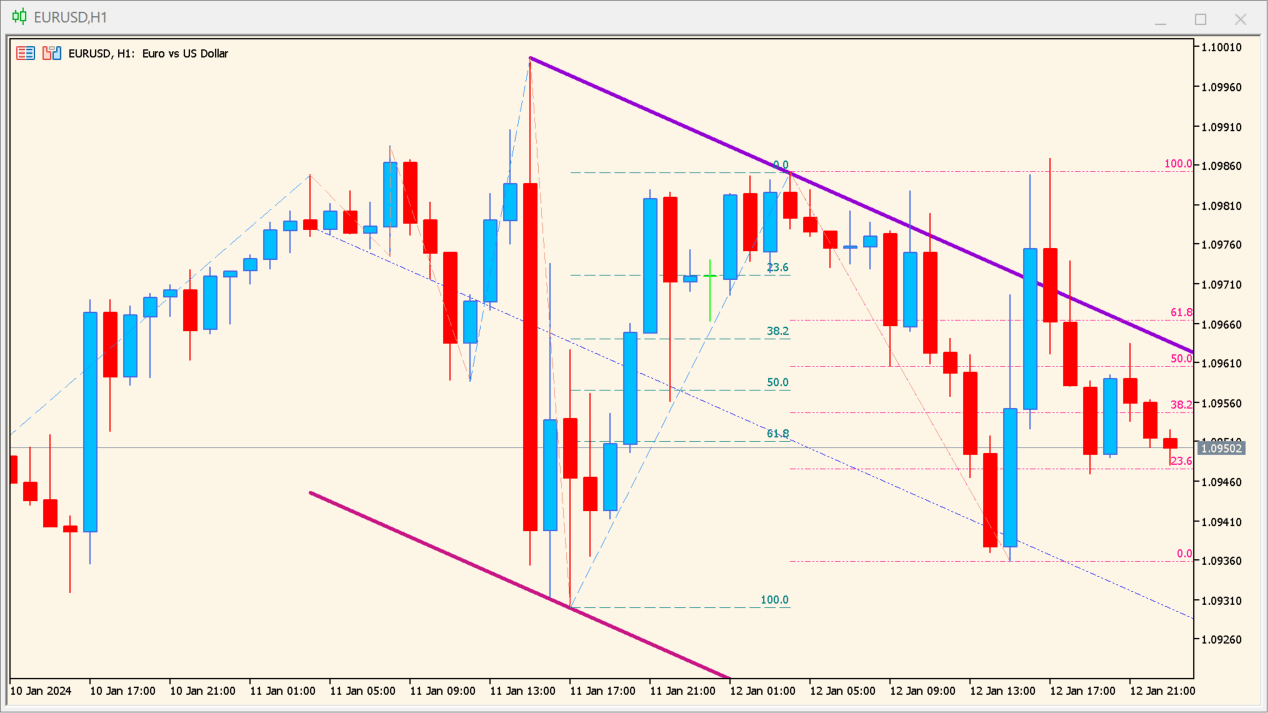
The zig-zag-on-parabolic-fibo-channel indicator combines ZigZag structure, Parabolic SAR logic, and Fibonacci channel projections into a single visual tool. It identifies major swing points, builds a sloping channel based on trend curvature, and overlays Fibonacci levels to highlight potential reaction zones.
This indicator is designed to reduce guesswork when analyzing trending markets. Instead of manually drawing channels and Fibonacci levels, it automatically adapts to price swings and updates as new extremes appear.
How to Use It in Practice
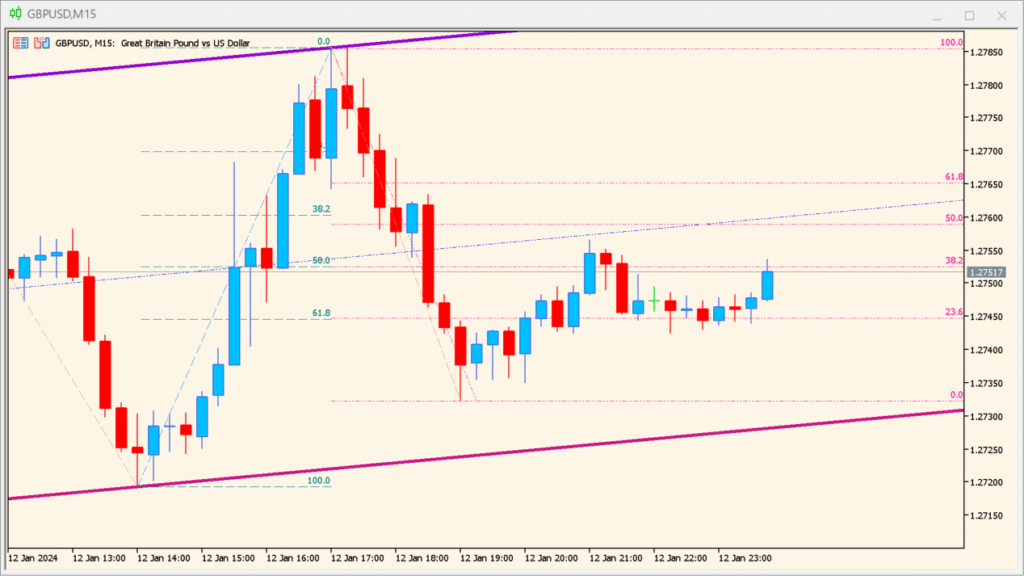
In practice, this indicator is best used for trend-following and pullback analysis.
Traders can observe how price respects the parabolic channel boundaries and use Fibonacci levels inside the channel as potential entry, target, or reaction areas. When price approaches upper or lower channel lines together with key Fibonacci ratios, it often marks areas of exhaustion or continuation.
The ZigZag-based structure also helps filter out minor noise, making this tool suitable for swing trading and higher timeframes where clean structure matters more than fast signals.
Parameters
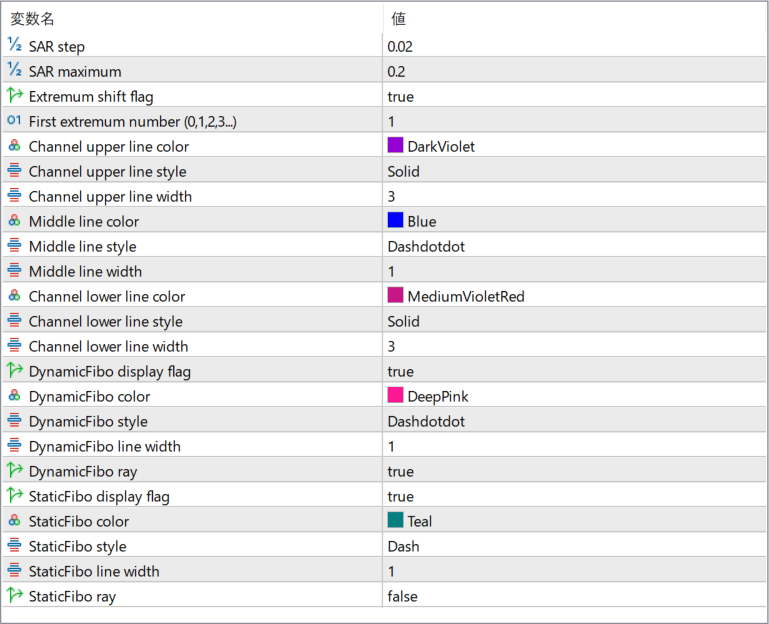
SAR step
Controls the acceleration factor of the Parabolic SAR calculation. Smaller values create smoother channels, while larger values make the channel react faster to price changes.
SAR maximum
Sets the maximum acceleration limit for the Parabolic SAR logic, affecting how sharply the channel can curve during strong trends.
Extremum shift flag
Enables or disables adjustment of detected swing points to better align with actual price extremes.
First extremum number (0,1,2,3…)
Selects which detected ZigZag extremum is used as the starting reference for channel construction.
Channel upper line color
Defines the color of the upper boundary of the parabolic channel.
Channel upper line style
Sets the line style used for the upper channel boundary.
Channel upper line width
Controls the thickness of the upper channel line.
Middle line color
Defines the color of the channel’s median line.
Middle line style
Sets the visual style of the middle channel line.
Middle line width
Controls the thickness of the middle channel line.
Channel lower line color
Defines the color of the lower boundary of the parabolic channel.
Channel lower line style
Sets the line style for the lower channel boundary.
Channel lower line width
Controls the thickness of the lower channel line.
DynamicFibo display flag
Enables or disables dynamic Fibonacci levels that adjust as new swings form.
DynamicFibo color
Sets the color used for dynamic Fibonacci levels.
DynamicFibo style
Defines the line style of dynamic Fibonacci levels.
DynamicFibo line width
Controls the thickness of dynamic Fibonacci lines.
DynamicFibo ray
Determines whether dynamic Fibonacci levels extend forward as rays.
StaticFibo display flag
Enables or disables fixed Fibonacci levels based on the selected structure.
StaticFibo color
Defines the color of static Fibonacci levels.
StaticFibo style
Sets the visual style of static Fibonacci lines.
StaticFibo line width
Controls the thickness of static Fibonacci levels.
StaticFibo ray
Determines whether static Fibonacci levels are drawn as rays or fixed segments.