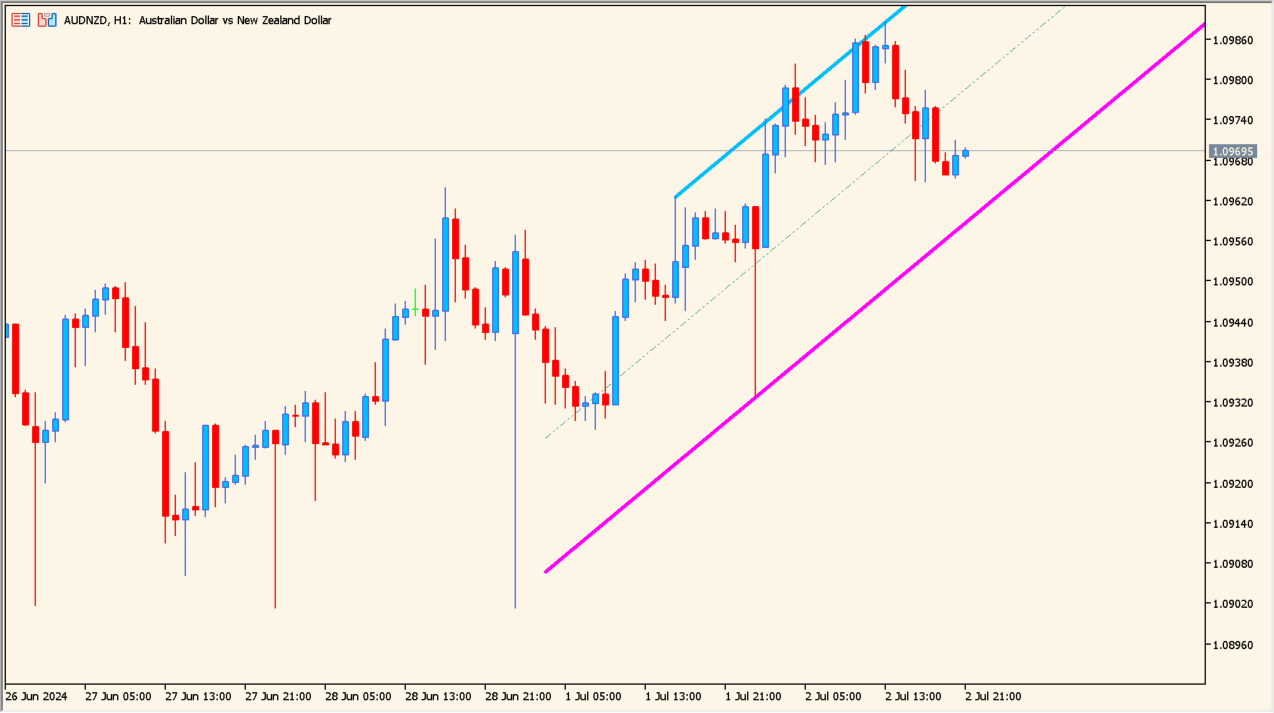
Overview of the Indicator
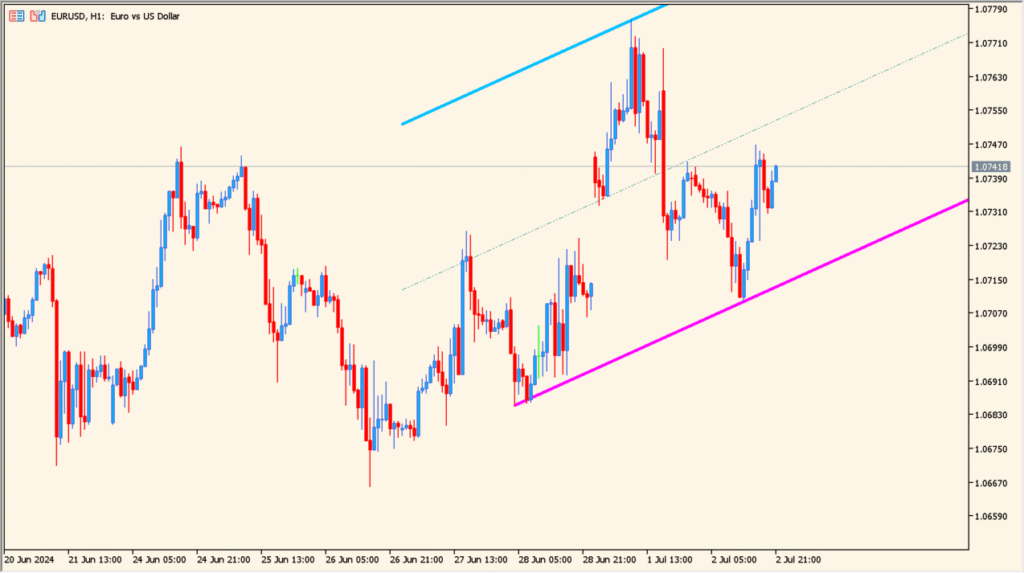
zigzag_nk_channel 1.00 is a channel indicator built around ZigZag swing points. It automatically detects significant highs and lows, then draws a trend channel based on those peaks. The result is a clear visual structure of the current market slope, including upper, middle, and lower channel lines.
Because the channel is calculated from confirmed swing points, it adapts to market structure rather than using fixed-period regression. This makes it useful for identifying trend direction, dynamic support and resistance, and potential breakout areas.
How to Use It in Practice
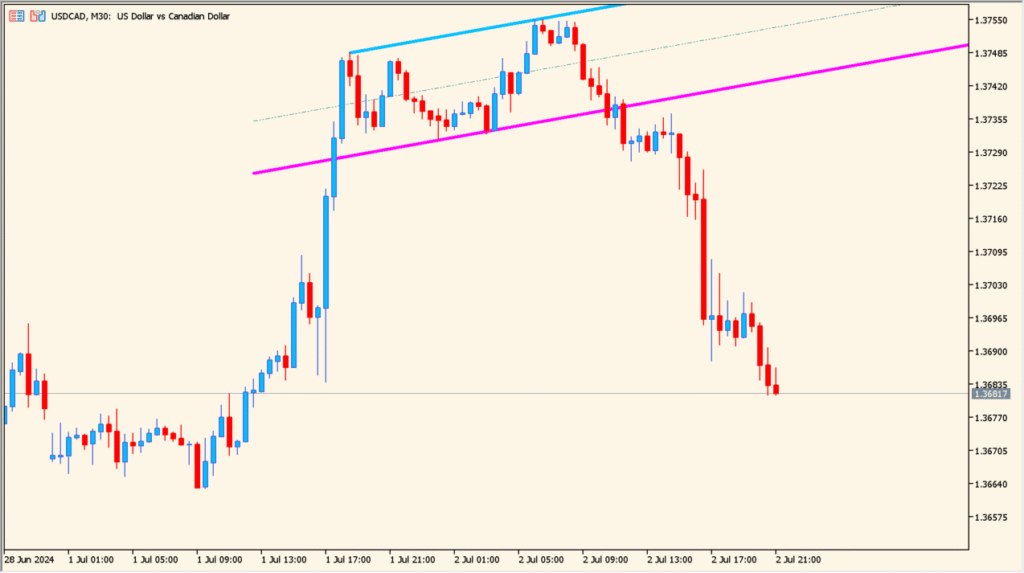
In an uptrend, price often reacts near the lower channel line and moves toward the upper line. In a downtrend, the opposite behavior is common. The middle line can act as a short-term balance level inside the channel.
Traders can use the outer bands as dynamic support and resistance zones. A bounce from the lower band may offer continuation setups in an uptrend, while a clean break above or below the channel can signal a possible trend acceleration or reversal.
It works best when combined with price action or momentum confirmation, especially in trending markets.
Parameter Explanations
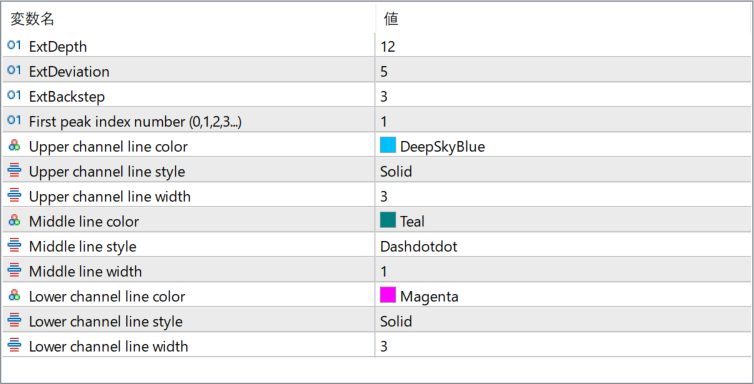
ExtDepth
Defines the minimum number of bars required to form a swing high or swing low in the ZigZag calculation. Larger values filter out small fluctuations and focus on major swings.
ExtDeviation
Sets the minimum price deviation (in points) between swings. Increasing this value reduces sensitivity and ignores smaller price moves.
ExtBackstep
Specifies how many bars back the indicator checks to avoid overlapping or conflicting swing points. It helps refine the ZigZag structure.
First peak index number (0,1,2,3…)
Selects which detected swing point is used as the starting anchor for drawing the channel. Changing this value shifts the channel to a different pair of peaks.
Upper channel line color
Sets the color of the upper boundary line of the channel.
Upper channel line style
Defines the line style (solid, dashed, etc.) for the upper channel line.
Upper channel line width
Controls the thickness of the upper channel line.
Middle line color
Sets the color of the center line within the channel.
Middle line style
Defines the line style of the middle channel line.
Middle line width
Controls the thickness of the middle line.
Lower channel line color
Sets the color of the lower boundary line of the channel.
Lower channel line style
Defines the line style for the lower channel line.
Lower channel line width
Controls the thickness of the lower channel line.